
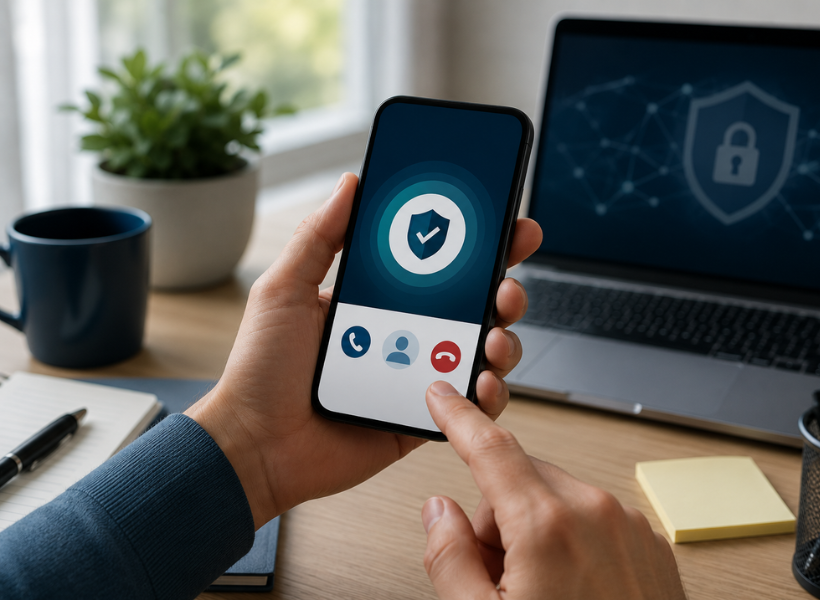
ATO impersonation scams are one of the most common and most damaging financial scams in Australia. Fraudsters pose as ATO officers, often using threatening language and urgent pressure tactics, to trick Australians into handing over their tax file number, bank details, or money. The scale of the problem is significant: the ATO received reports of almost 7,500 ATO impersonation scams in July 2025 alone, with scam activity typically surging during tax time.
In April 2026, the ATO launched a new tool to help Australians protect themselves: a verify call feature built into the ATO app. This feature allows you to confirm, in real time and while still on the phone, whether the call you are receiving is genuinely from the ATO or from a scammer. It is free, takes under 30 seconds, and could prevent you from becoming a victim of fraud.
This article explains how the feature works, how to use it step by step, how to recognise the signs of an ATO scam call, and what to do if you have already given information or money to a fraudster.
The Scale of the Problem: ATO Scams by the Numbers
| 7,500+
ATO impersonation scams reported in July 2025 alone |
1,461
ATO impersonation scam reports in March 2026 |
30 sec
Time the verify call feature takes to confirm a genuine ATO call |
According to the ATO’s scam data page, impersonation scam reports have been rising steadily. Scammers are growing more sophisticated, using spoofed phone numbers, fake caller IDs, convincing email templates, and even fake conference calls that appear to involve law enforcement officials. The ATO has noted that impersonation scams tend to peak around tax time, when Australians are actively expecting contact from the ATO about their returns.
ATO Assistant Commissioner Anita Challen, commenting on the launch of the verify call feature, noted: ‘Scammers are becoming increasingly savvy, making it harder for individuals to distinguish between illegitimate and genuine contact.’ The new feature was developed specifically to address this challenge by giving every Australian a fast, reliable way to confirm a call’s legitimacy without ending it.
What Is the ATO App Verify Call Feature?
The verify call feature is a new security tool launched 2 April 2026 as part of the ATO’s Counter Fraud Program. It is built into the free ATO app, available for both iOS and Android devices, and is designed to work while you are still on a phone call that claims to be from the ATO.
When you use the feature, the ATO app checks in real time whether there is an active, genuine ATO call associated with your registered account at that moment. If the call is genuine, a notification appears within 30 seconds to confirm it. If no notification appears, the call is not from the ATO.
The feature sits alongside other existing security tools in the ATO app, which also include real-time notifications when key changes are made to your ATO account, and an account lock function that allows you to immediately lock your account if you suspect unauthorised access.
Full details of the feature are available on the ATO’s media release announcing the verify call launch.
How to Use the Verify Call Feature: Step by Step
| # | Step | What to do |
|---|---|---|
| 1 | Download the ATO app | Available free from the Apple App Store or Google Play Store. Search for ‘ATO’ and look for the official Australian Taxation Office app. |
| 2 | Register your device | Open the app and complete the device registration process. You will need your myGov credentials. The ATO recommends setting up myID to the highest identity strength available for best protection. |
| 3 | Receive a call claiming to be from the ATO | When you receive a phone call from someone who says they are calling from the ATO, do not immediately give out any personal information. |
| 4 | Open the ATO app while on the call | While still on the call, open the ATO app on your registered device and log in. |
| 5 | Select the Verify Call option | From inside the app, select the Verify Call option. The app will check whether an active, genuine ATO call is registered against your account at that moment. |
| 6 | Wait up to 30 seconds | Within 30 seconds, a notification will appear in the app confirming the call is genuine if it is a real ATO call. |
| 7 | No notification? Hang up. | If no confirmation notification appears within 30 seconds, the call is not from the ATO. Hang up. Do not provide any personal information. Do not make any payments. |
| Important: Register your device before you need it
The verify call feature only works on a registered device. You cannot set it up mid-call. Download the ATO app and complete device registration now, before you ever receive a suspicious call. The ATO recommends setting up your myID to the highest identity strength available to you, to provide the strongest level of protection when signing in. |
Genuine ATO Call vs Scammer: How to Tell the Difference
Even before you use the verify call feature, there are important signals that can help you distinguish a genuine ATO call from a scam. The table below summarises the key differences.
| Behaviour | Genuine ATO | ATO Impersonation Scammer |
|---|---|---|
| Phone caller ID | Displays as No Caller ID | May show a spoofed Australian number or fake ATO number |
| Requests for personal information | Will not ask for your TFN, password, or bank details via unsolicited call | Will pressure you to provide TFN, bank details, or login credentials |
| Payment demands | Will never demand immediate payment over the phone or threaten immediate arrest | Commonly threatens arrest, prosecution, or legal action to create panic |
| Links and attachments | The ATO does not use hyperlinks in unsolicited outbound SMS messages | Often sends SMS or email with links to fake myGov or ATO login pages |
| Urgency and pressure | Does not pressure you to stay on the line or act immediately | Uses fear and urgency to prevent you from stopping to verify |
| Verifiability | Genuine calls will trigger the verify call notification in the ATO app | No notification will appear in the ATO app within 30 seconds |
A full breakdown of the common features of ATO phone, email, and SMS scams is available on the ATO’s verify or report a scam page.
| One rule to remember about ATO phone calls
Genuine calls from the ATO display as No Caller ID. If a call appears to come from a specific Australian phone number claiming to be the ATO, it may be a spoofed number. The ATO does not display a recognisable number when it calls outbound. This is an easy first filter before you even use the app. |
The ATO’s ‘Stop, Check, Protect’ Framework
The ATO works with the National Anti-Scam Centre, which operates under the ACCC, and promotes a simple three-step framework for responding to any suspicious contact:
- Stop. Do not share your personal information, such as your myGov login, tax file number, or bank account details, with anyone unless you are certain of who you are speaking with and why they need it.
- Check. Before responding to any call or message, ask yourself whether it could be fake. Use the ATO app verify call feature to confirm a phone call. Visit the ATO website directly (never via a link in a message) to check your account status.
- Protect. If something feels wrong, act quickly. Lock your ATO account in the app. Contact the ATO on 1800 008 540 immediately if you have shared information or made a payment. Report the scam even if you did not engage, as it helps the ATO track patterns.
More detail on protecting yourself from scams, including cybersecurity tips for individuals and businesses, is available at the ATO’s how to stay scam safe page.
What to Do If You Have Already Engaged with a Scammer
If you have already received a suspicious call and are concerned you may have shared information or made a payment, the table below outlines the action to take based on your situation.
| Your situation | What to do |
|---|---|
| You gave out personal information (TFN, bank details, login) | Call the ATO immediately on 1800 008 540. Contact your bank or financial institution. Consider placing a credit alert on your file. Report to your local police. |
| You made a payment to the scammer | Call the ATO on 1800 008 540. Contact your bank immediately to report the payment and attempt to reverse it. Lodge a fraud report with the bank you paid. Report to the Australian Cyber Security Centre at cyber.gov.au. |
| You received the call but did not engage or pay | Report it to the ATO at ReportScams@ato.gov.au (for emails) or use the online Report a Scam form at ato.gov.au. No payment is required but reporting still matters, as it helps the ATO track scam patterns. |
| You are unsure whether you were scammed | Call the ATO on 1800 008 540 to check. You can also log in to ATO Online Services via myGov and review your account for any unusual activity. |
The ATO’s dedicated scam reporting and assistance line is 1800 008 540. For general scam reporting online, visit the ATO’s verify or report a scam page, or email ReportScams@ato.gov.au for email-based scam reports.
Broader Steps to Protect Your ATO Account
The verify call feature is a powerful new protection, but it works best as part of a broader set of security habits. The ATO recommends the following steps to keep your account and personal information secure:
- Download the ATO app and register your device now so the verify call feature is ready to use.
- Set up myID at the highest identity strength you can achieve. This is the most secure way to sign into ATO online services.
- Enable multi-factor authentication wherever possible. Even if a scammer obtains your password, multi-factor authentication makes it significantly harder for them to access your account.
- Never click links in SMS messages claiming to be from the ATO. The ATO does not use hyperlinks in outbound unsolicited text messages. Any SMS containing an ATO link should be treated with suspicion.
- Protect your TFN. Only share your tax file number with your employer, tax agent, or bank. Never provide it in response to an unsolicited call, email, or text.
- Keep your devices and software updated. Scammers use viruses and malware that target outdated software on phones, computers, and tablets.
- Monitor your ATO account regularly. Log in to ATO online services via myGov to review your account and check for any changes you did not authorise.
Frequently Asked Questions
Is the ATO app free to download?
Yes. The ATO app is free and available for download from the Apple App Store and Google Play Store. Search for the official Australian Taxation Office app.
Do I need a myGov account to use the verify call feature?
You will need to log in to the ATO app to use the verify call feature. The app connects to your ATO account, and you sign in using your myGov credentials. Setting up myID at the highest available identity strength is recommended for the best protection.
What if I do not have a smartphone?
If you do not have a smartphone or cannot use the ATO app, you can still verify whether an ATO call is genuine by ending the call and calling the ATO directly on 1800 008 540. Do not redial the number that called you. Always look up the ATO’s number independently through the ATO website.
Can scammers fake the verify call notification?
No. The verify call feature works by checking the ATO’s own internal systems to confirm whether a genuine outbound ATO call is active for your account. A scammer cannot trigger this notification because it requires a real ATO call to be registered against your account at that exact moment.
I received a voicemail from someone claiming to be the ATO. Is it real?
The ATO does sometimes leave voicemails. However, you should always verify through official channels before calling back or taking any action. Do not call the number left in the voicemail. Instead, visit the ATO’s verify or report a scam page or call 1800 008 540 to confirm whether the ATO is attempting to contact you.
What types of contact does the ATO use legitimately?
The ATO contacts taxpayers by phone, email, SMS, and post. However, it will never send a link in an unsolicited SMS, never demand immediate payment with threats of arrest, and never ask for your TFN, bank details, or myGov login via an unsolicited message. If any of these things happen, treat the contact as a scam.
How JMB Consultants Can Help
If you have received a suspicious communication claiming to be from the ATO, or if you are concerned that your tax account may have been compromised, acting quickly is essential. The ATO’s dedicated assistance line (1800 008 540) is the right first call. Your tax agent can also help you review your account records and confirm whether any unexpected changes have been made.
At JMB Consultants, we keep our clients informed about the latest changes in Australian tax law, ATO compliance requirements, and digital security tools that affect their tax affairs. If you have questions about any communication you have received that claims to be from the ATO, we are happy to help you assess whether it is genuine.
Contact JMB Consultants to speak with an experienced accountant about your tax account security or any ATO communications you are uncertain about.
Disclaimer: This article is intended as general information only. Scam tactics change frequently. The information above is based on ATO guidance and media releases current as of May 2026. If you believe you have been targeted by a scam, contact the ATO directly on 1800 008 540 and visit ato.gov.au/scamsafe for the most current guidance.